
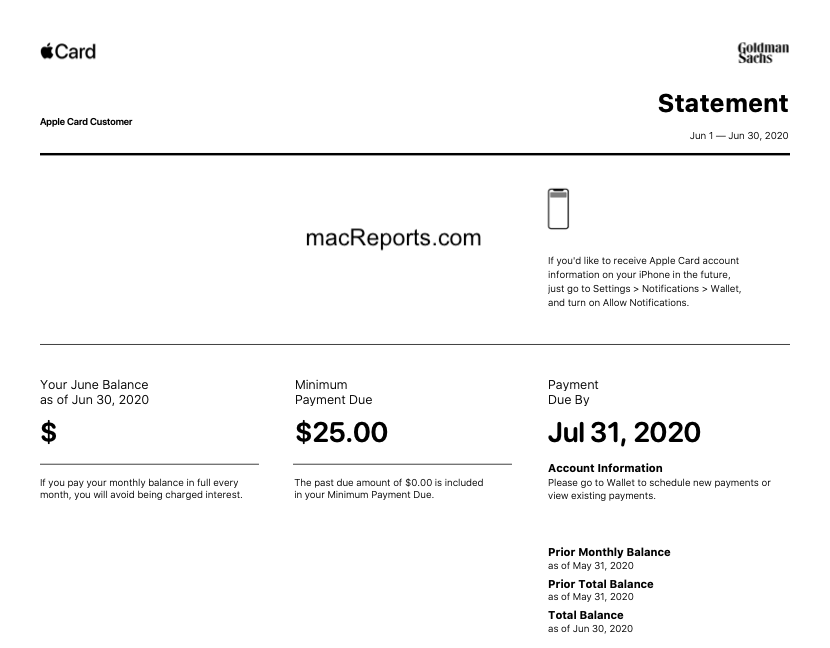

Managing your money shouldn’t feel confusing or overwhelming. That’s exactly the philosophy behind the Apple Card statement—a clean, transparent, and user-friendly way to track your spending. Designed by Apple in partnership with Goldman Sachs, the Apple Card transforms traditional credit card statements into something far more intuitive.
In this article, we’ll break down what an apple card statement is, how to access it, what information it includes, and why it stands out compared to regular credit card statements.
What Is an Apple Card Statement?
An apple card statement is a detailed monthly summary of your Apple Card activity. It shows all purchases, payments, interest charges (if any), and rewards earned during a billing cycle.
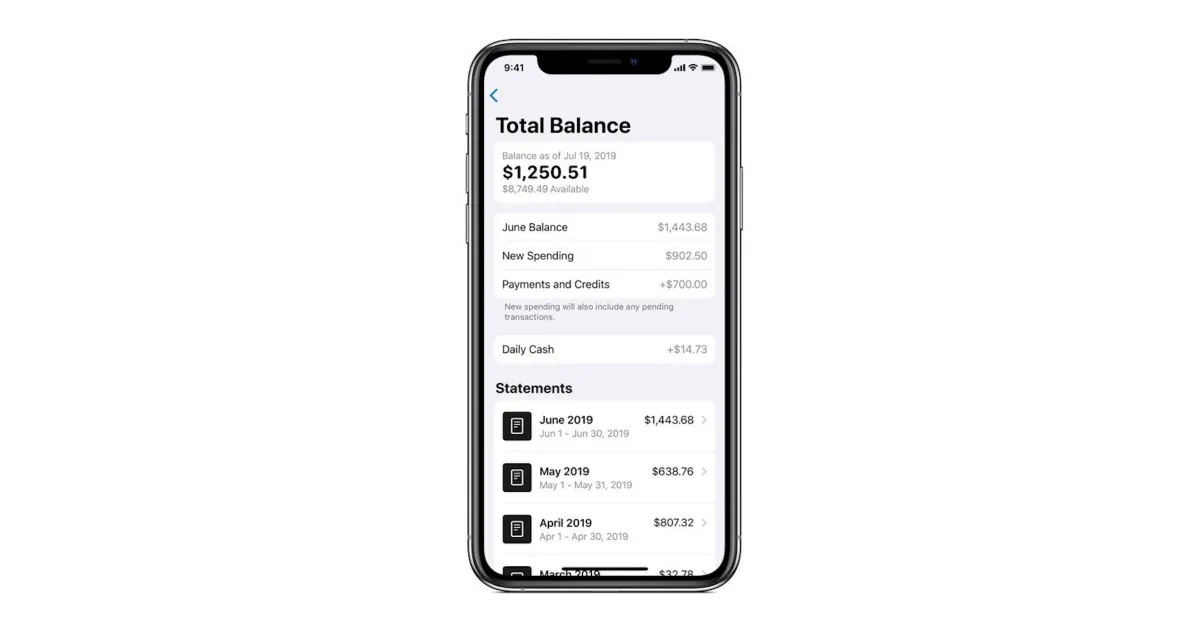
Unlike traditional PDF-heavy bank statements, Apple Card statements are visually organized, color-coded, and integrated directly into the Wallet app on your iPhone. This makes reviewing finances feel more like scrolling through an app than decoding a financial document.
How to Access Your Apple Card Statement
Accessing your apple card statement is quick and seamless:
-
Open the Wallet app on your iPhone
-
Tap on Apple Card
-
Select Statements
-
Choose the month you want to review
You can also download your statement as a PDF or export transactions in CSV format, which is especially useful for budgeting, taxes, or business expenses.
What Information Does an Apple Card Statement Include?
Each apple card statement is packed with essential financial details, presented in a clean layout:
1. Monthly Balance Summary
This section highlights:
-
Starting balance
-
New charges
-
Payments and credits
-
Ending balance
Everything is clearly laid out so you know exactly where your money went.
2. Transaction Breakdown
Every purchase is listed with:
-
Merchant name
-
Date of transaction
-
Exact amount
-
Location (when available)
Apple also categorizes spending (food, shopping, entertainment, etc.), making patterns easy to spot.
3. Interest and Fees
Apple Card is known for having no annual fees, late fees, or foreign transaction fees. If you carry a balance, your apple card statement will clearly show:
-
Interest charged
-
Daily balance calculations
There are no hidden numbers or confusing fine print.
4. Daily Cash Rewards
One standout feature of the apple card statement is how it tracks Daily Cash. You’ll see:
-
Cash back earned per transaction
-
Total Daily Cash for the month
-
Where rewards came from (Apple purchases, Apple Pay, or physical card use)
Why the Apple Card Statement Feels Different
Traditional credit card statements often feel cold and technical. The apple card statement flips that experience completely.
Color-Coded Spending
Apple uses colors to show where your money goes. Food might be orange, shopping blue, travel purple. Over time, this creates a visual map of your habits.
Real-Time Updates
You don’t have to wait until the end of the month. Your apple card statement updates in real time as you make purchases or payments.
No Fine Print Confusion
Apple focuses on transparency. Interest rates, balances, and payments are displayed clearly—no jargon-heavy paragraphs to decode.
Apple Card Statement vs Traditional Credit Card Statements
Here’s how the apple card statement compares to a typical bank-issued statement:
-
Digital-first vs paper-heavy
-
Visual and interactive vs text-dense
-
Real-time tracking vs monthly snapshots
-
Clear fee structure vs hidden charges
For users who value clarity and control, Apple’s approach feels refreshingly modern.
How to Use Your Apple Card Statement for Better Money Management
Your apple card statement isn’t just for reviewing past spending—it’s a powerful financial tool.
Track Spending Habits
By reviewing monthly categories, you can quickly identify overspending patterns and adjust future behavior.
Plan Payments Strategically
The statement shows how paying more than the minimum can reduce interest. Apple even suggests payment amounts to help you stay on track.
Prepare for Taxes or Reimbursements
Exporting your apple card statement as a CSV makes it easy to:
-
File taxes
-
Submit expense reports
-
Share data with accountants
Common Questions About Apple Card Statements
Can I get a paper Apple Card statement?
Apple is fully digital, but you can download and print PDF statements anytime.
How long are Apple Card statements stored?
You can access statements for all previous months since opening your account.
Is my Apple Card statement secure?
Yes. Statements are protected with Face ID or Touch ID, adding an extra layer of security.
Final Thoughts: Why the Apple Card Statement Matters
The apple card statement is more than just a monthly summary—it’s a reflection of how financial tools can be simple, transparent, and user-friendly. By removing unnecessary complexity and focusing on clarity, Apple has redefined what a credit card statement should feel like.
